![[X25]❄️ +1 Speed Snow Keyboard Escape Wiki logo](/images/site/logo.webp)
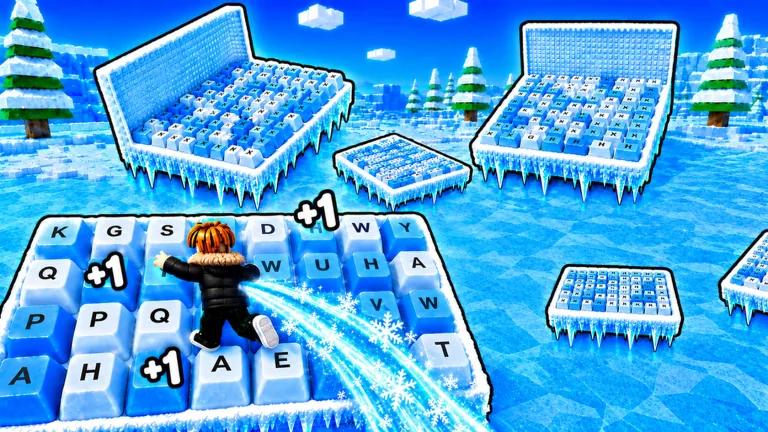
Check the multiplier before you measure progress
With 1 Speed Snow Keyboard Escape multipliers, the number in your current server is the one that counts. Measure what it changes. The Roblox game description says big multipliers are part of progression, but it gives no permanent rate or stacking formula.
One boosted session in September 2026 showed an admin multiplier, a Wins multiplier, Speed boosts, VIP, and a percentage bonus at the same time. Your server can have a different event or shop lineup, and those labels do not tell you whether the boosts stack.
Before farming, screenshot your Speed, Wins, and every boost label on screen. Walk the same short route or clear a familiar stage, then compare the counters. You will have a result from your own server instead of an old multiplier claim.
Speed and Wins multipliers solve different problems
A Speed multiplier changes how quickly you build the movement stat. A Wins multiplier changes the reward side of a course run. Both speed up progress, but they work on different counters.
| Multiplier type | What to observe | Best test | Common mistake |
|---|---|---|---|
| Speed | Speed gained over a fixed number of steps | Walk the same short line twice | Assuming faster gain also improves control |
| Wins | Wins added at a known collection point | Record the displayed reward and counter change | Copying another player’s reward as your baseline |
| Event or admin | Temporary label, timer, or server-wide banner | Rejoin or check a second server | Treating an event state as permanent |
| Paid-looking boost | Purchase panel, duration, ownership state | Read the live purchase card before spending | Assuming two offers stack |
| VIP or percentage bonus | Exact wording in the current UI | Compare before and after activation | Turning a visible label into an undocumented formula |
Your goal determines which number matters. If you are preparing for a Level or Rebirth check, Speed gain is the useful measure. If you are trying to unlock a treadmill or plan repeated stage clears, Wins per completed run matters more.
Run a clean two-minute multiplier test
Use a test that removes as many variables as possible:
- Join a server and wait until all boost banners and counters load.
- Record Speed, Wins, Level, and every visible multiplier label.
- Choose a flat route near spawn and count a small, fixed number of steps.
- Stop moving and record the new Speed value.
- If you can reliably reach a Win collection point, record the advertised reward and the actual counter change.
- Repeat once without buying, equipping, or activating anything new.
If the two samples disagree, check the event timer, streak reward, treadmill state, and UI loading. Wildly different results should not be averaged into a “normal” rate. First find what changed between the runs.
This test also separates a multiplier from a treadmill. A treadmill can display its own gain behavior, while a broader Speed multiplier can affect the result around it. Record both labels rather than attributing the whole increase to one object.
Keep faster gains under control
More accumulated Speed helps progression, but a larger movement value can make precise jumps harder. That is why multiplier planning and obstacle planning should stay separate.
Build Speed in a safe area, then set a controllable pace using the current Custom Speed control if it is available. Test that pace on the first obstacle instead of carrying your highest possible movement speed straight into a narrow platform section. A fast failed run produces fewer useful clears than a slightly slower run you can repeat.
Use this loop:
- Build: gain Speed under the multiplier state you have verified.
- Calibrate: make one small Custom Speed adjustment.
- Attempt: run the same obstacle segment without changing settings mid-jump.
- Review: note whether you undershot, overshot, or mistimed a moving hazard.
- Repeat: change one variable only.
The biggest label can still be a poor fit for a course run. Count failed attempts when you compare progress per minute.
How to compare a boost before spending
Open the live offer before buying. Read its currency, duration, benefit text, and ownership state. If part of the card is missing, close it and let the interface finish loading before checking again.
Compare the purchase with a free baseline. Run the same two-minute sample before and after the boost, then use the difference between those results. The boosted session included paid-looking upgrades and unusually fast gains, so it is a poor benchmark for a new account.
For Wins, also check whether the reward displayed at the stage already includes the active bonus. A collection-point label can already show the final amount. Compare the counter before and after collection rather than multiplying the label a second time.
Keep a normal-server baseline
Save one sample from a server with no obvious temporary banner. Record the date, the exact labels on screen, and the counter changes from your fixed route. That sample becomes your baseline for later event comparisons.
When an admin or seasonal state appears, repeat the same route. Calculate the difference only after confirming the route length and starting conditions match. If an event changes while you test, discard the run. A clean baseline also helps after updates: if the same activity produces a different result, recheck the UI before assuming your account lost a perk.
Use separate baseline rows for walking, each treadmill you can access, and one reliable Win collection point. This keeps a powerful training surface from being confused with an account-wide multiplier.
Version-sensitive checks for September 2026
Multiplier availability changes with the live game. On September 12, 2026, the Roblox description still advertised big multiplier unlocks but gave no prices, durations, or stacking order.
Recheck the following whenever you join:
- the server banner for a current event or admin state;
- the boost panel for duration and purchase terms;
- the treadmill label for its current requirement and gain display;
- your counter change after a controlled step sample;
- the Win counter after one collection.
If the UI contradicts an older guide, follow the current UI. Keep screenshots from the same server when comparing results, because a rejoin can place you under a different event state.
FAQ
What do multipliers do in +1 Speed Snow Keyboard Escape?
They accelerate parts of progression such as Speed gain or Wins, depending on the label. Read the live label and test the relevant counter instead of assuming one multiplier affects everything.
Do all multipliers stack together?
There is no confirmed stacking formula. Record your counters, activate one change at a time, and compare the result in your current server.
Is the admin multiplier always active?
An admin multiplier was visible in one September 2026 session, but that does not establish permanent availability. Check the current server banner or timer.
Why did my Wins not match my calculation?
The displayed reward can already reflect an active bonus, or the server state can change between runs. Compare the Wins counter immediately before and after collection.
Should I always use the highest Speed boost?
Use the highest gain state only if you can still control course movement. Lower your playable pace through the live Custom Speed control when extra Speed causes repeated overshooting.